Everything that happens after the punch.
Punches turn into hours, overtime, holiday pay, leave balances, payslips and payroll files as they happen. Managers fix exceptions, not spreadsheets.
Everything a time and HR system should do, from the first punch to the payslip.
Grouped in the order your week runs. Every screen below is PunchClock itself, with an example company’s data.
Punches from wherever the work happens.
Wall tablets, phones, office computers and WhatsApp all feed one timesheet. Each site picks the method that suits it, and you can mix them.
All the ways to punch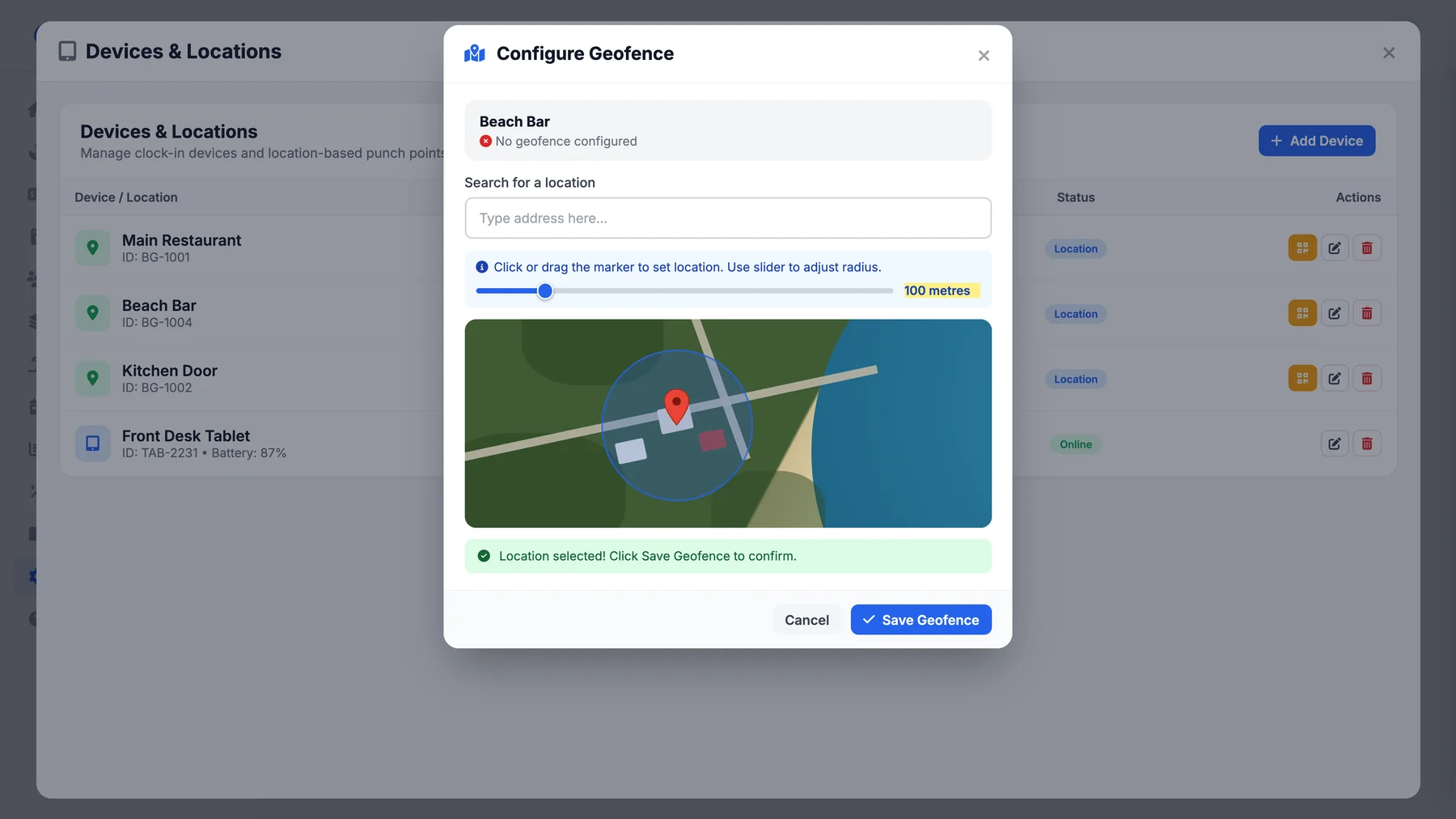
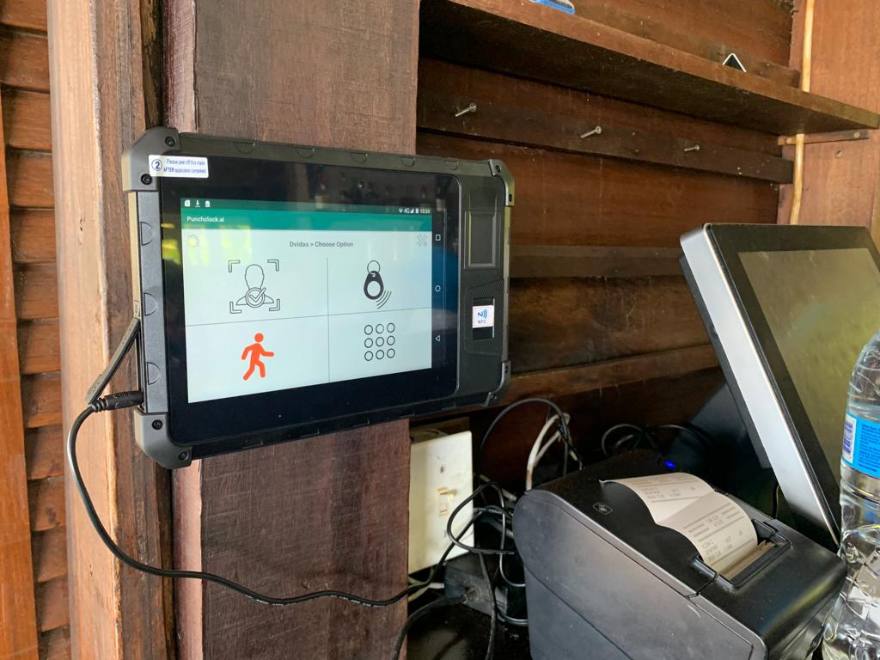
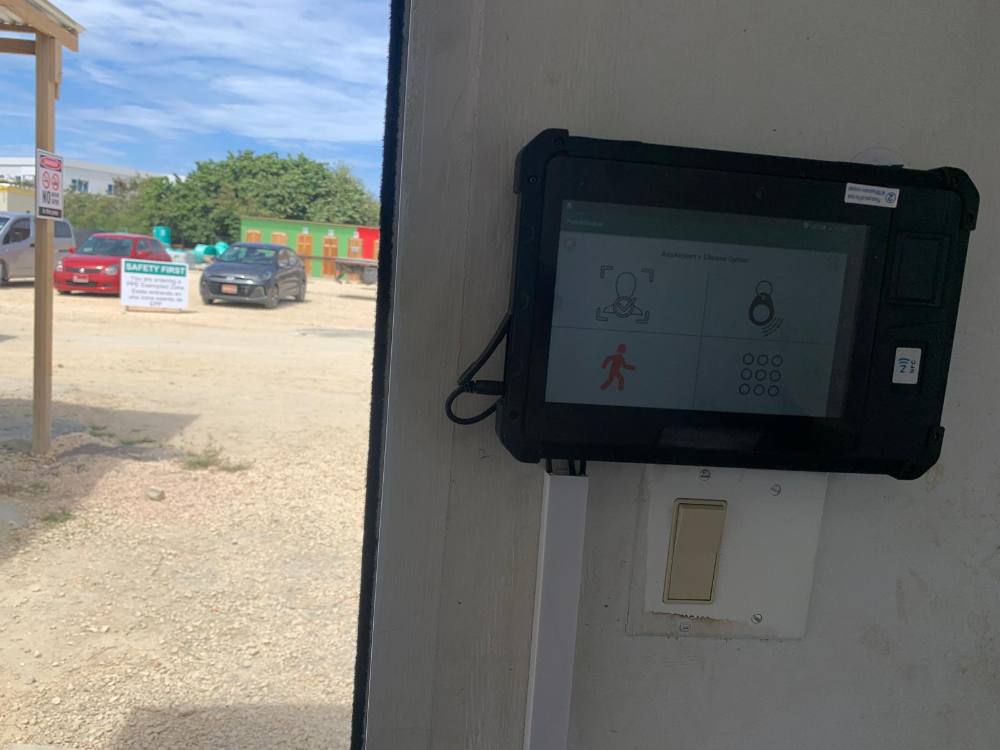
Face recognition
A wall tablet recognises each person by face. No cards to lose and no buddy punching.
Key cards and fobs
Register a card to each person with one tap on the reader.
PIN pad
A personal PIN on the tablet, the simple fallback on a busy shift.
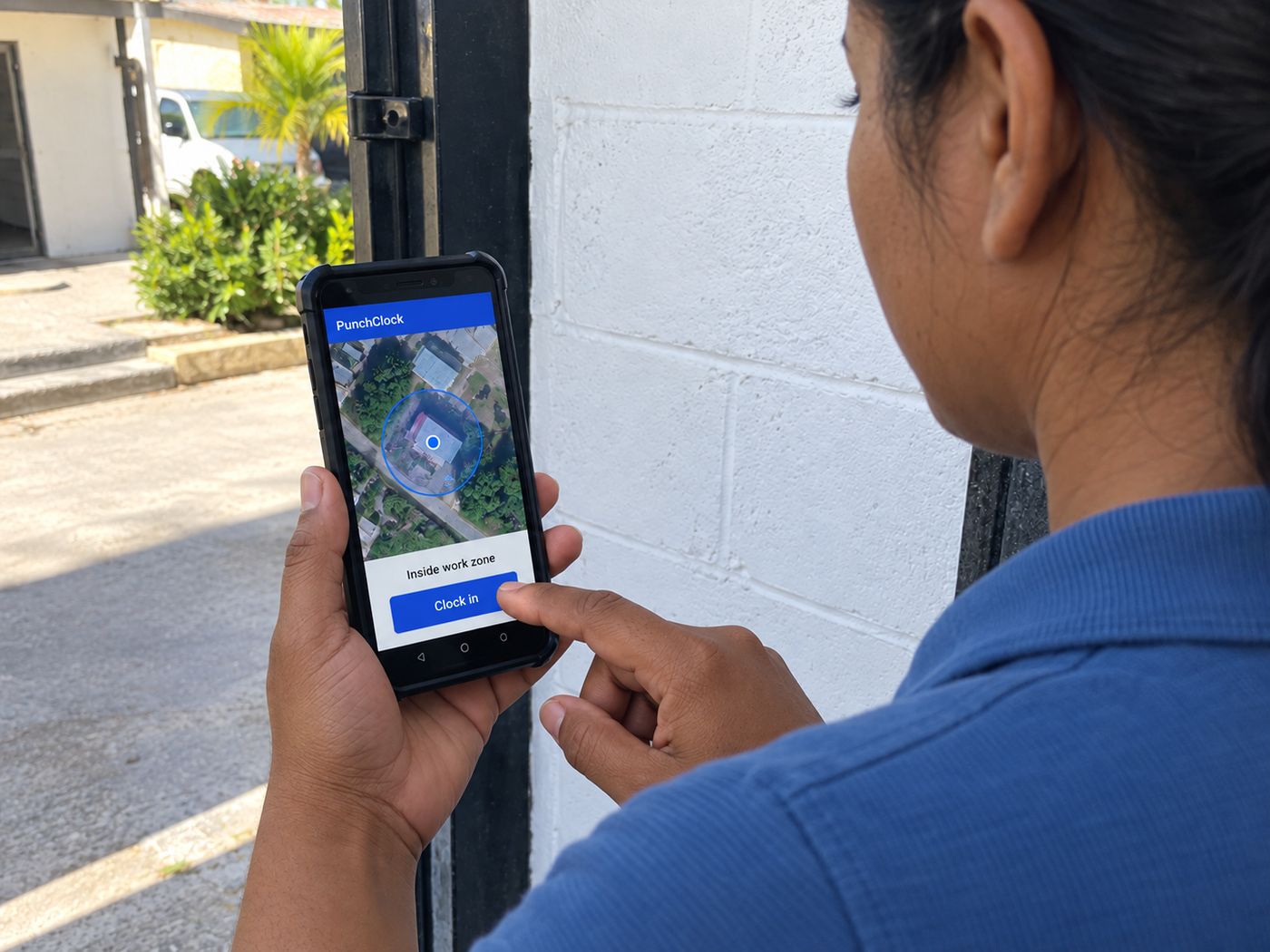
Geofenced phone app
Staff punch from their own phone, and it only counts inside a 20 to 500 metre zone.
QR punch points
Print a code for any location. Staff scan it in the PunchClock app.
WhatsApp clock-in
Remote and mobile crews punch by sending a message.
Desktop clock-in
Office staff punch from their computer with a PIN and a one-time WhatsApp code, and it remembers them for a year.
GEO Fence Anywhere
Let a driver or manager who works off site punch from anywhere. Everyone else stays fenced.
Works offline
Tablet punches are kept when the internet drops and uploaded when it comes back.
Tablet health
See which tablets are online, when each was last seen and its battery level.
Waypoints
Staff who are clocked in record each stop, with the GPS position saved.
On The Road
Staff tap Leave and Return for errands and deliveries. Every trip shows on a timeline.
Punch notes
Staff can leave a note straight after they punch.
Close a site, keep its history
We switch a location off for you and every way of punching there stops, with its records kept.
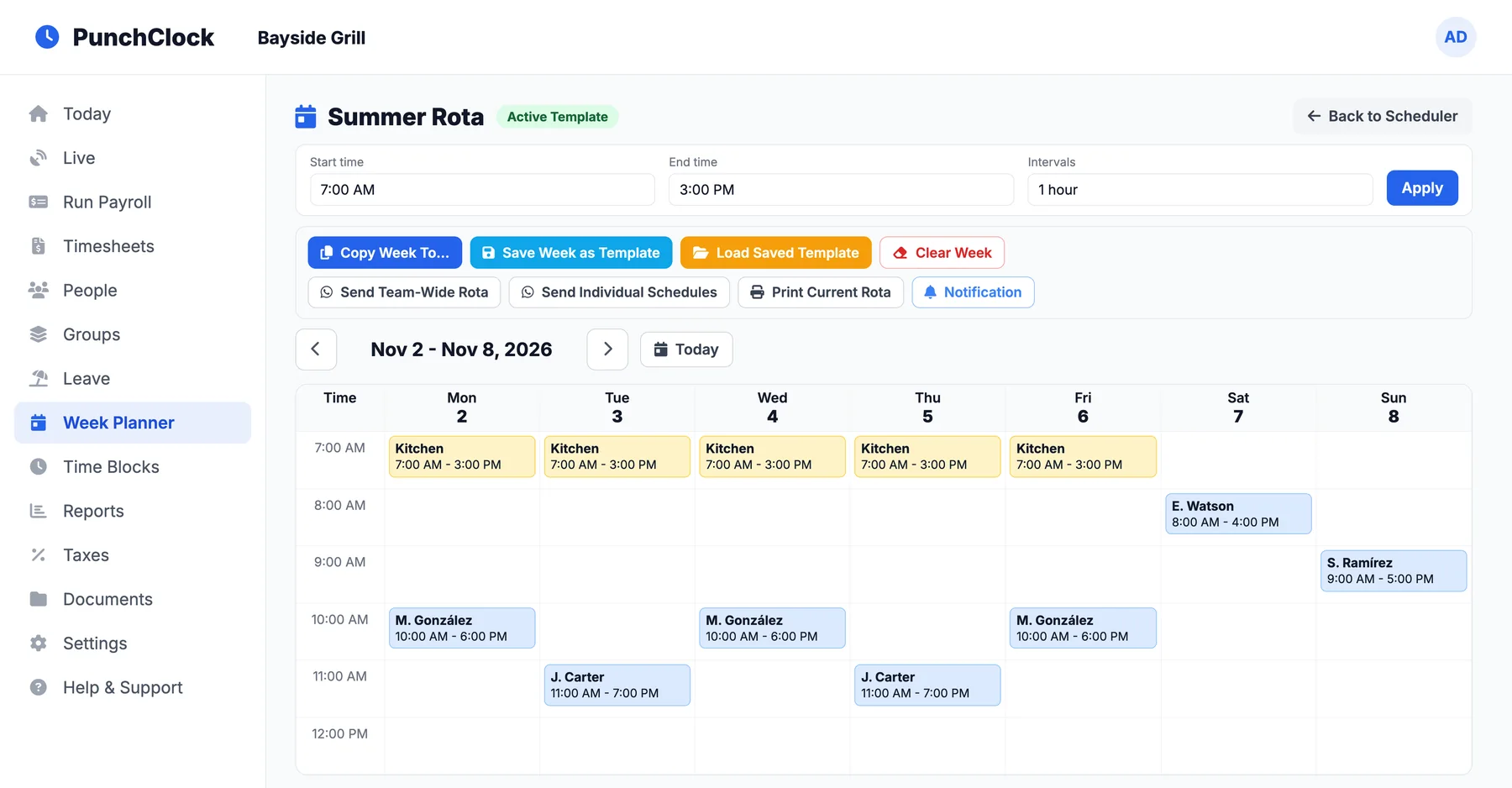
Rotas that set the rules for the day.
Build the week once, repeat it, send it out, and let the schedule decide who is late and when a clock-in counts as on time.
Week Planner
Drag out the week by team, with several rotas and one marked active.
Repeating schedules
Save a shift as a weekly template and it repeats on the same day every week.
Temporary schedules
Give a schedule a start and end date and it stops by itself, with nothing deleted.
Copy and reuse weeks
Copy a good week forward, or save it as a template and load it later.
Send the rota
Send the whole team rota, or each person their own schedule, on WhatsApp.
Print to Excel
Download the current rota as a spreadsheet for the notice board.
Enforce the schedule
Optionally stop staff clocking in on a day they are not rostered.
Clock-in grace
Early and late windows round a first punch to the scheduled start.
Overnight cut-off
A shift that runs past midnight stays one shift.
Time Blocks
Save your usual shift times and fill in a manual entry in one click.
Staff see their schedule
Everyone checks their own shifts in the app.
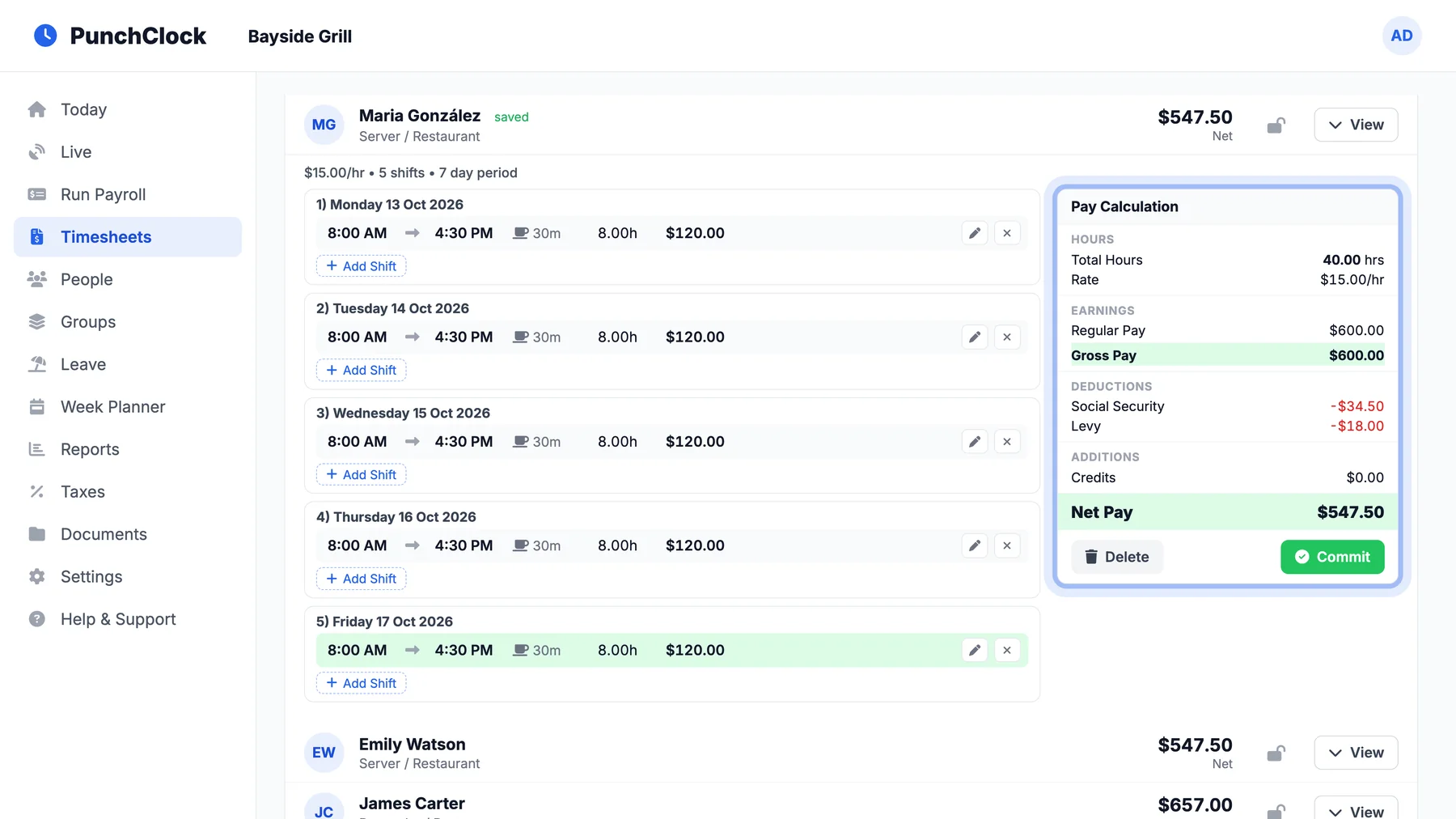
Hours, overtime and extra pay worked out as they happen.
Every punch is priced the moment it lands. Managers fix the exceptions instead of building the whole sheet.
Today screen
Who is in, late or on break, plus what needs your attention: missing clock-outs, expiring permits and leave waiting for you.
Live board
Everyone clocked in right now, as a list or by shift.
Map overlay
The whole team on one map: a green pin for everyone still clocked in, red once they have left. Click a pin for the name, site and time.
Not punched
See who usually works but has no punch today.
Missed punches flagged
A missing clock-out is marked. Add it and the pay recalculates on the spot.
Punch cards
Hover a day to see every punch behind it, with the photo and the place.
Overtime and day rates
Overtime, double time, Saturdays, Sundays and public holidays at the multiples you set.
Overtime approval
Approve how much extra time is paid before payroll, person by person.
Break rules
Take off a 30, 45 or 60 minute break automatically when nobody records one.
Credits and allowances
Add gross or net credits to a sheet with a note.
Salary timesheets
Monthly salary sheets with extra-day pay for staff on a fixed salary.
Commit and lock
Lock a checked period so sending time to payroll again never overwrites it.
Hours by location
Split anyone’s hours by the site and the office they worked at.
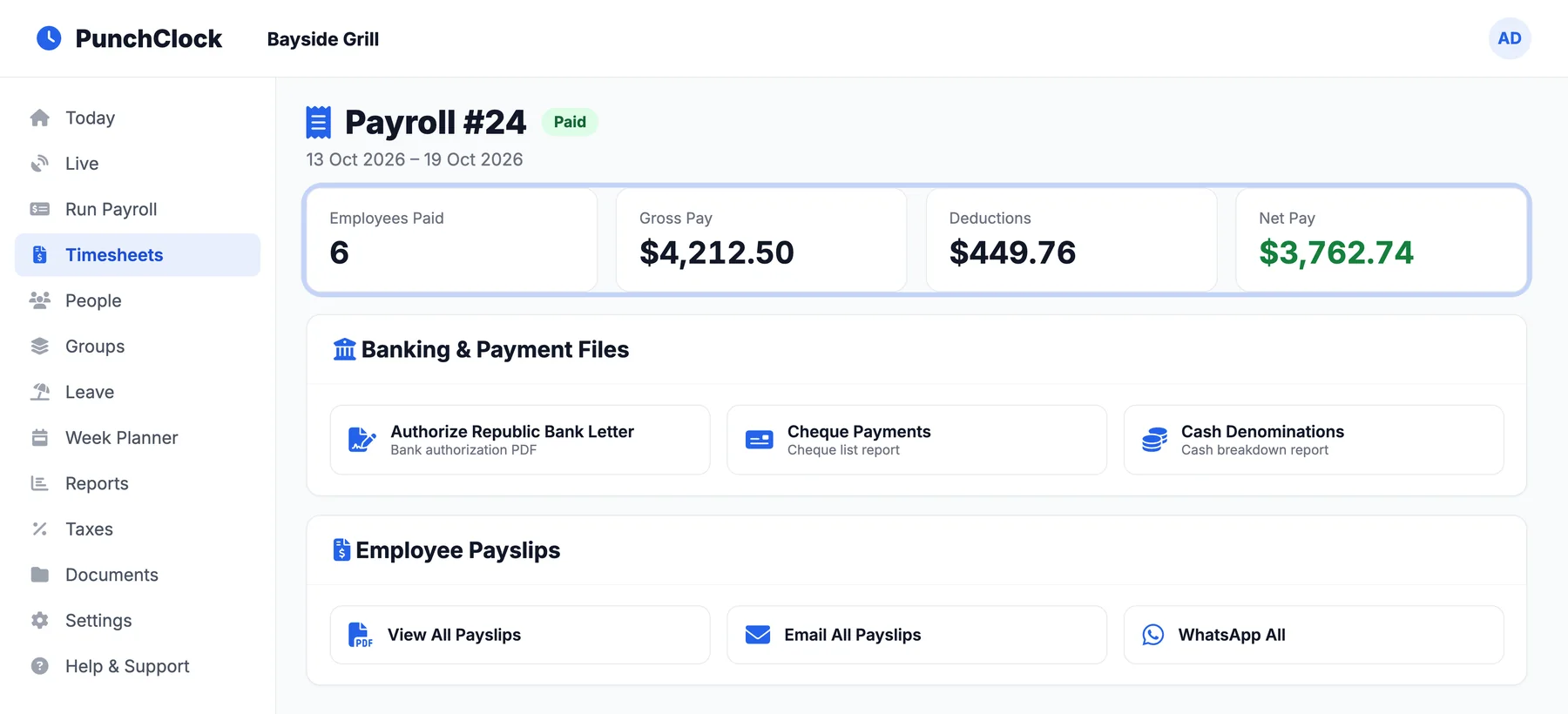
From committed hours to a paid team in one run.
Social security, levy and tax are worked out with island rules, and the payslips, bank files and accounts journal come out together.
Run payroll
Pick the period and export everyone, a group or one person. Problems to fix are listed first.
Island tax rules
Social security, levy and income tax for Anguilla, St Kitts, Antigua and more, with tax reports.
Payslips everywhere
Email every payslip in one go, send them on WhatsApp, or print them.
Bank payment files
A payment list for each bank your staff are paid into.
Signed bank letter
The authorisation letter for your bank, signed by your directors.
Cheques and cash
A cheque list, and a cash breakdown of the notes and coins you need.
Pay rates
Rates per job, and how they apply.
Allowances and deductions
Regular allowances and deductions per person, before or after tax.
Holiday pay
Public holidays paid automatically, from a holiday list for your country.
Tips and service charge
Shared fairly, with weightings per person and department rules.
QuickBooks journal
A balanced journal with your own account codes, ready to import.
Cost Estimator
What the schedule should have cost against what it actually cost, day by day.
Employee IDs
Your own employee numbers on every payslip, with your prefix.
Pay period history
Every past run with its totals, files and payslips, one click away.
Time off and sick pay, worked out for you.
Staff ask for time off from their phone, you approve it, and PunchClock keeps count of the days. Sick days are paid by your own rules.
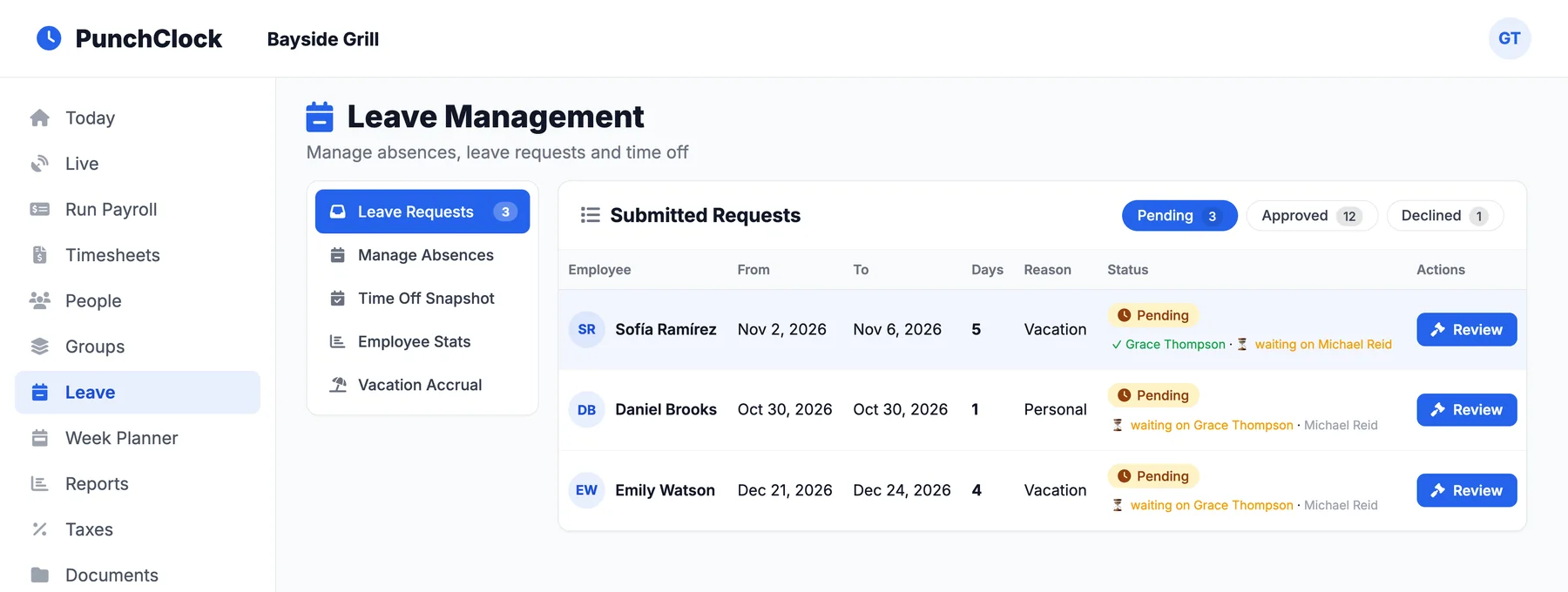
Requests from the phone
Staff ask for time off from the app or their portal.
Approval chains
One approver, or several in order, set per department or per person.
Leave types and limits
Vacation, sick, personal and more, each with its own allowance.
Vacation your way
Accrued from hours worked, or a set number of days that counts down.
Sick pay rules
Qualifying periods and the split between paid and unpaid days, worked out per absence.
Opening balances
Bring in the leave people had already taken before PunchClock.
Who is off
Who is away today and who is coming up, at a glance.
Leave reports
Leave by type and by person, and a full-year workbook in Excel.
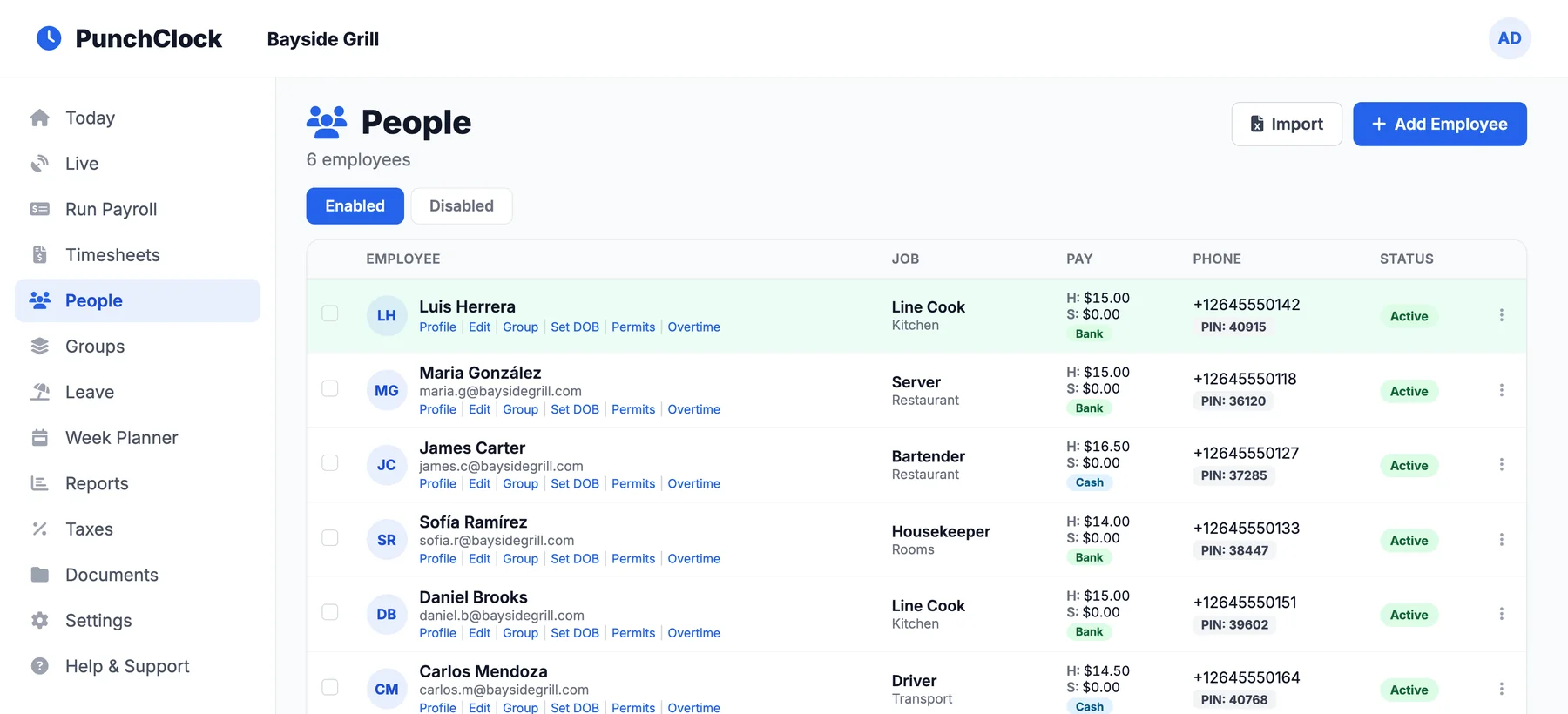
Every record about your team, in one place.
From the first application to the employment letter, without another system.
Employee records
Pay, tax setting, bank details, emergency contacts and start date for each person.
Import from Excel
Load the whole team at once from the staff template.
Groups and departments
Organise staff for rotas, service charge and day-to-day sorting.
App invites
Send each person their app link and PIN on WhatsApp.
Staff app and portal
Staff see their hours, payslips, schedule and leave balance on their own phone.
Manager HR app
Managers get their own app PIN for the HR side of the app.
Job letters
Employment letters from your own template, filled in for anyone in one click.
Documents
HR forms and company policies in folders, in one place.
Compliance and training
Certificates and training with expiry warnings, plus onboarding packs and questionnaires.
Incidents
Staff report incidents from the app. Mark each one reviewed or resolved.
Recruitment
Your own job board with a short link per role, and applicants moved from applied to hired.
Fleet and drivers
Vehicle licence and insurance renewals, drivers’ licences, and who has which vehicle.
Task Manager
A board of who is on which duty today.
Know who changed what, and decide who sees what.
Every change is on the record, and every manager sees only the part of the business they run.
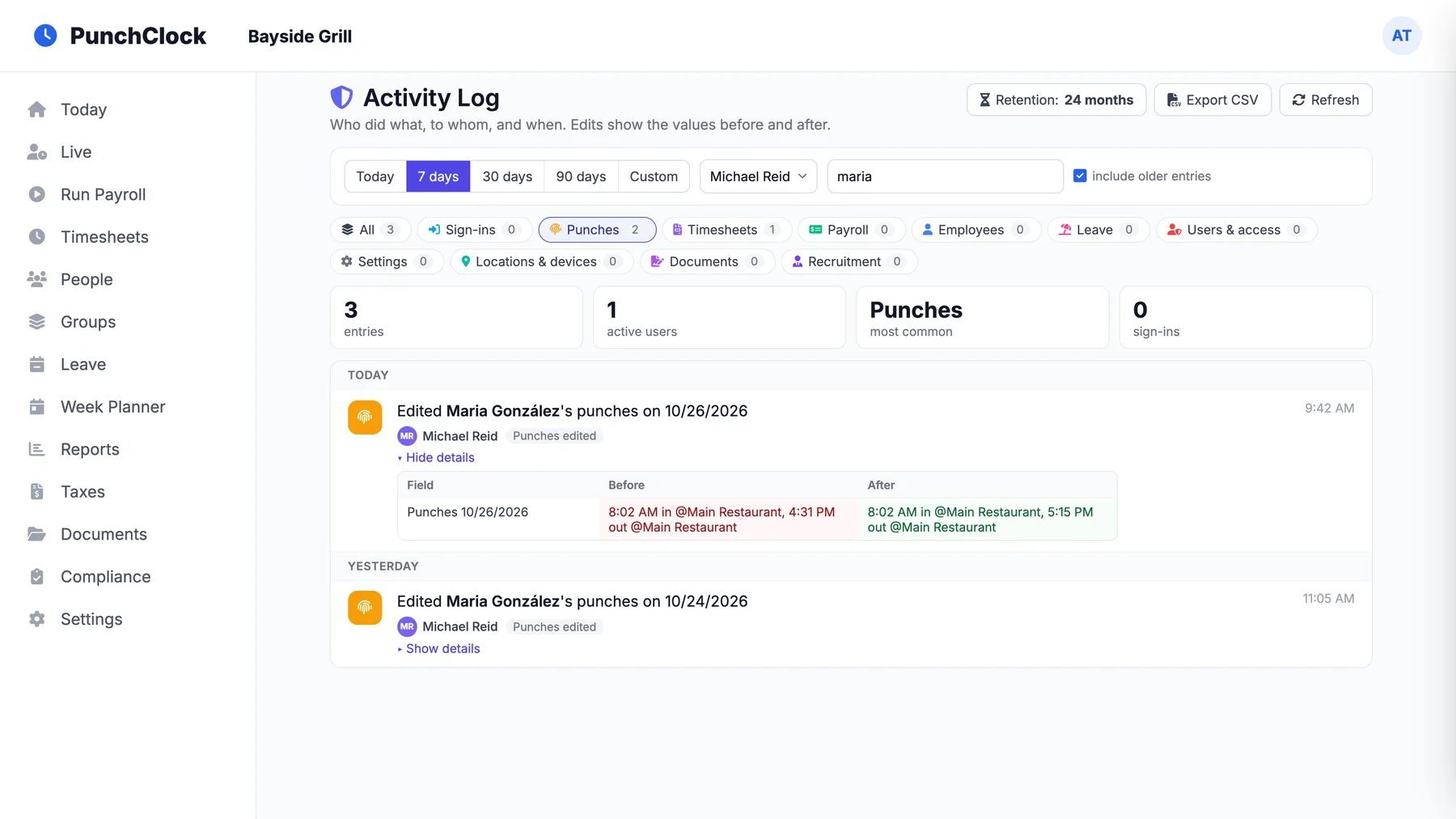
Activity log
Who did what, to whom and when, with the values before and after. Kept for 24 months and exportable.
Users and access levels
Decide what each dashboard user can see and do.
Access by department
A manager sees only the departments they run.
Menus per user
Hide the sections a company or a person does not need.
Two-factor sign-in
An authenticator code on top of the password, with recovery codes.
Notifications
Clock-in alerts for managers, and warnings when a punch looks suspicious.
Reports to Excel
Hours and attendance for any range, team or person.
Linked companies
Run several businesses and switch between them without signing out.
Company profile
Your logo, registration number and the directors who sign bank forms.
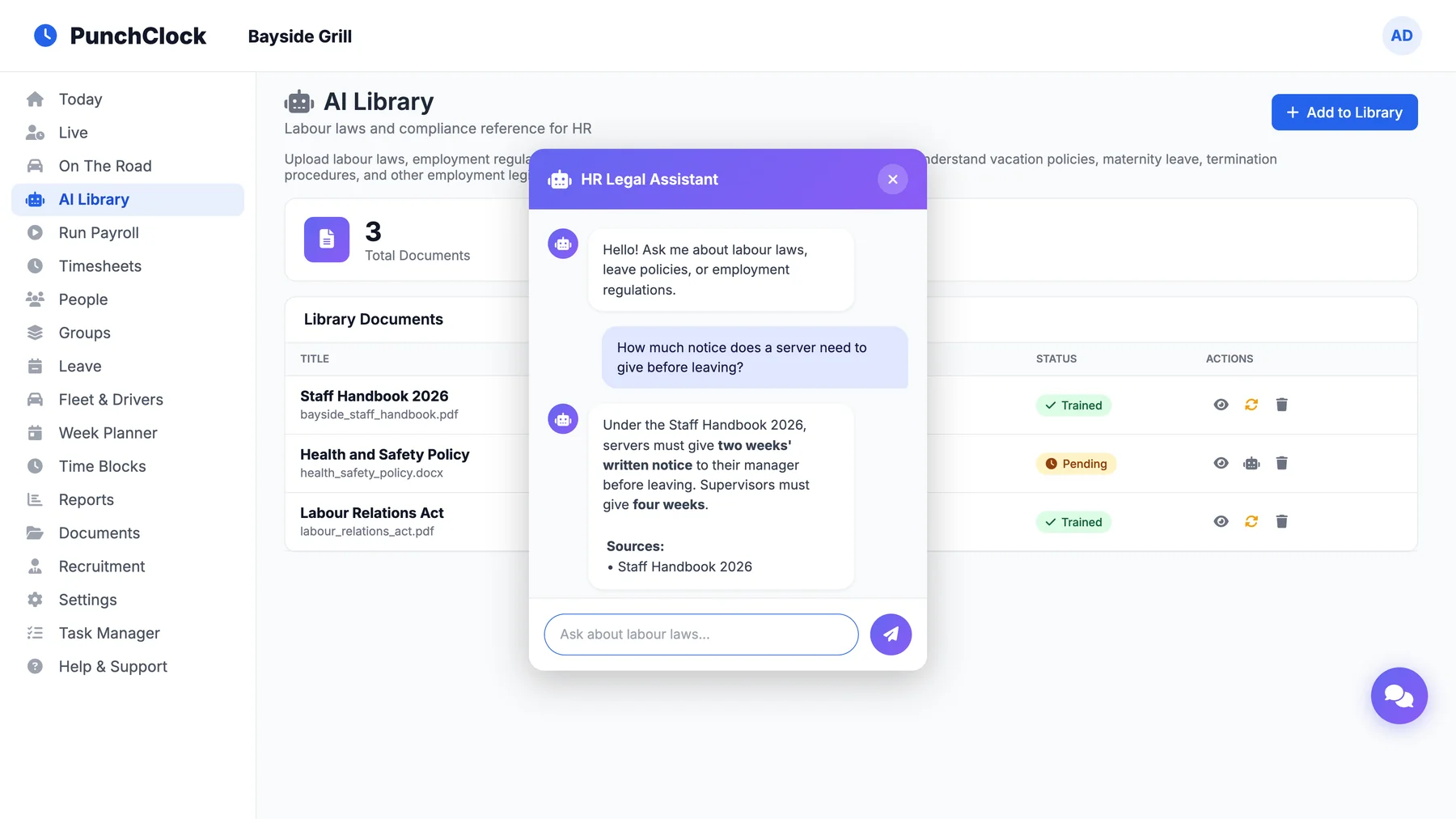
Ask your own handbook.
Upload labour laws, your staff handbook and your policies. Then ask questions in plain English, and every answer names the document it came from.
See what you can askUpload once
PDF, Word or text files up to 10 MB: labour law, handbook, policies.
Ask in plain English
How much notice does a server give? What maternity leave applies? Ask it like you would ask HR.
Answers with sources
Each answer lists the documents it was drawn from, so you can check it.
Only what you upload
It answers from your trained documents, not from guesses.
Your accountant and your bank get files they can use.
See it run on your own week.
We set up your sites and pay rules and walk you through a real week, from the first punch to the payslip. Every customer also gets our library of step-by-step video guides.